Finding your next dance class starts with knowing what works for you. Danceable’s filters help students and dancers narrow their search by dance style, skill level, budget, location, schedule, class type, and teacher.
Watch the tutorial
Watch this tutorial on YouTube.
Follow along with this example: an evening Argentine Tango group class in San Jose, California, priced under $100.
1. Open Classes and select Filters
Go to the Classes section in Danceable and open Filters. Start with the preferences that matter most to you. You can leave other options open to explore a wider range of classes.
2. Choose your dance style and skill level
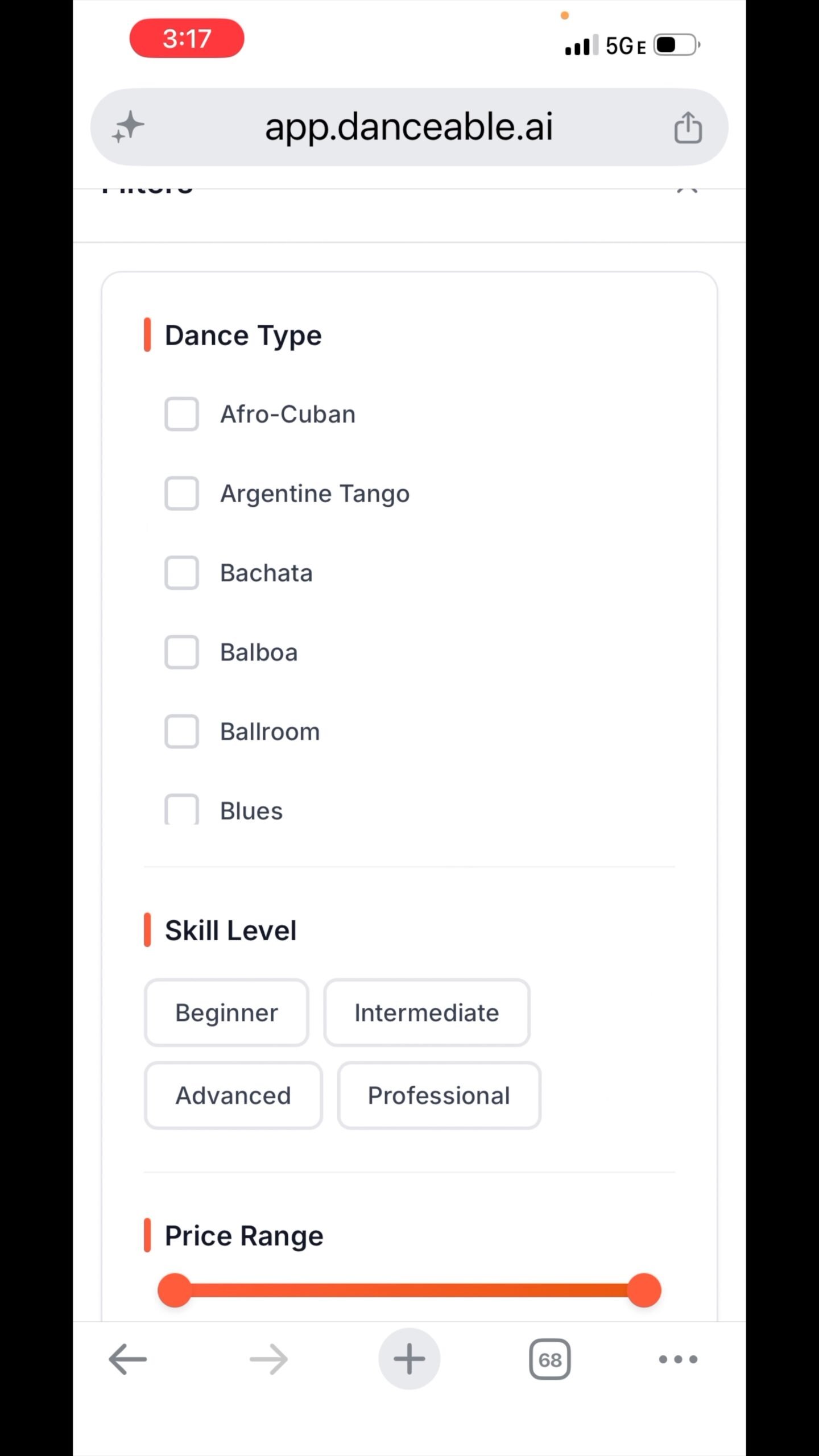
Select the dance style you want to learn. In the tutorial, we choose Argentine Tango. Choose a skill level if you have a preference, or leave it unchanged to see more options.
3. Set your budget and location
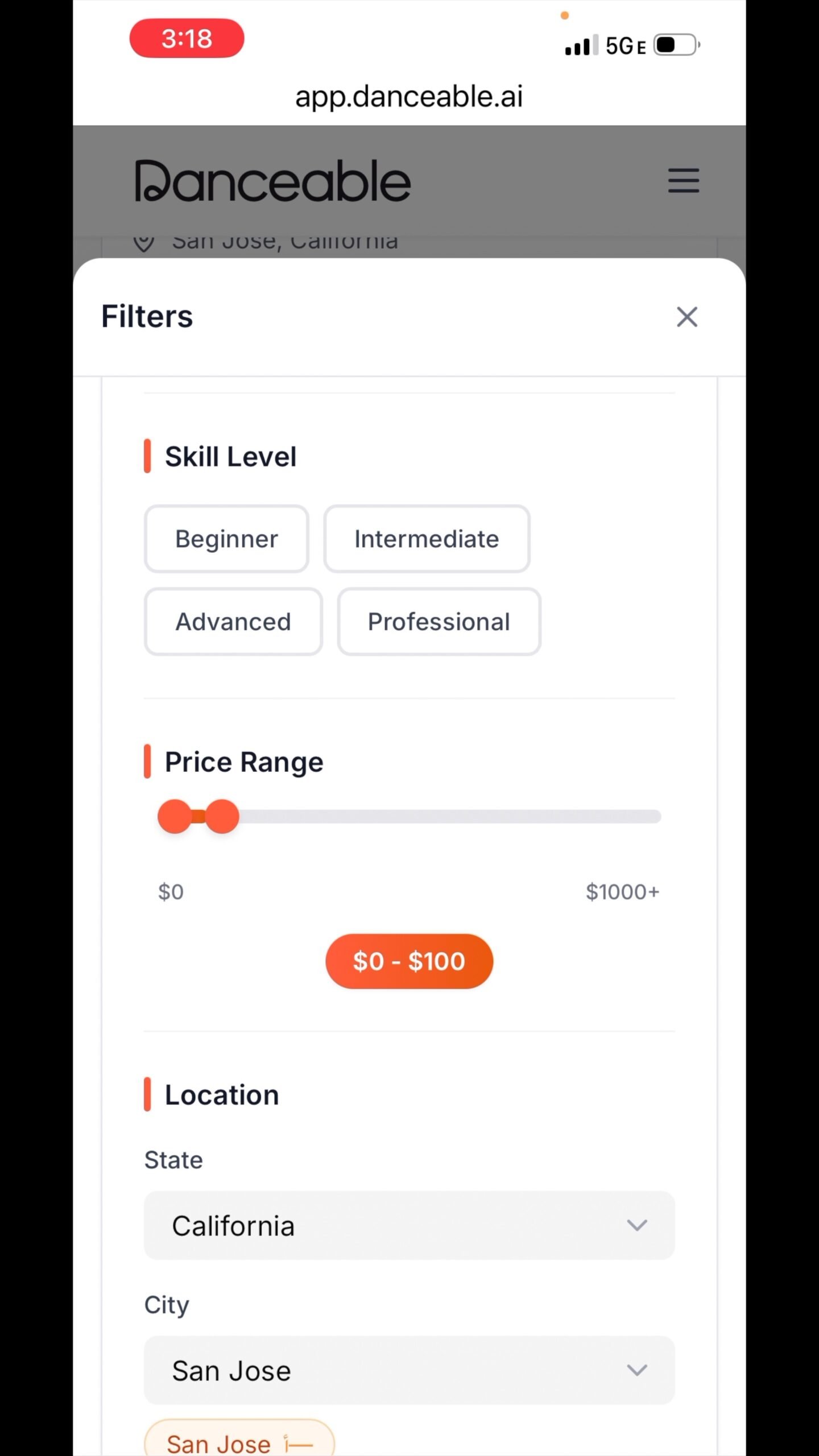
Use the price filter to find classes within your budget. For this example, we look for classes under $100. Then choose California as the state and San Jose as the city.
4. Choose a schedule and class type
Narrow your search to times you can attend. In this example, we select evenings on weekdays and choose Group Class. You can also filter by teacher. If you do not have a particular teacher in mind, leave that option open.
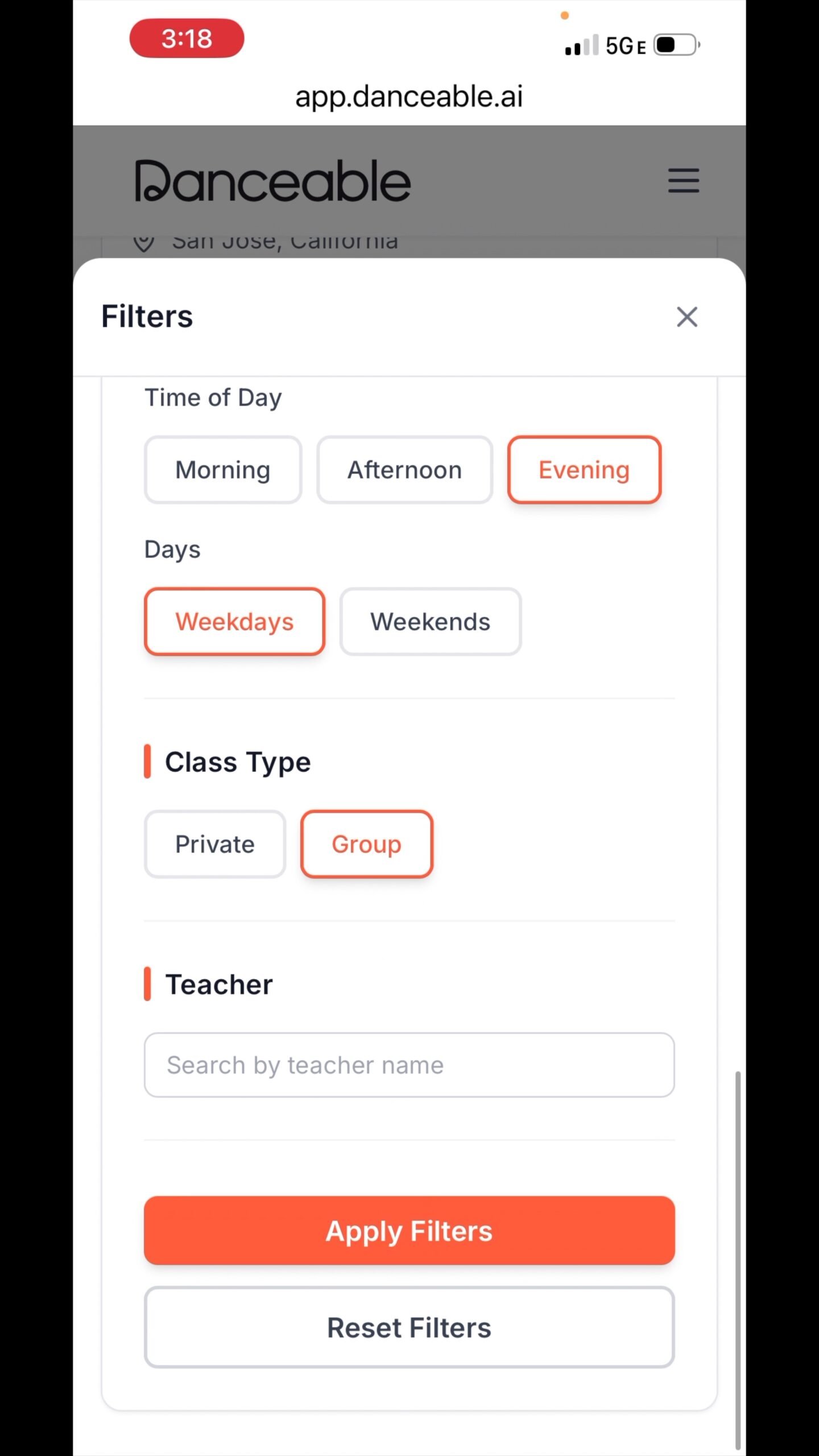
5. Apply filters and explore your results
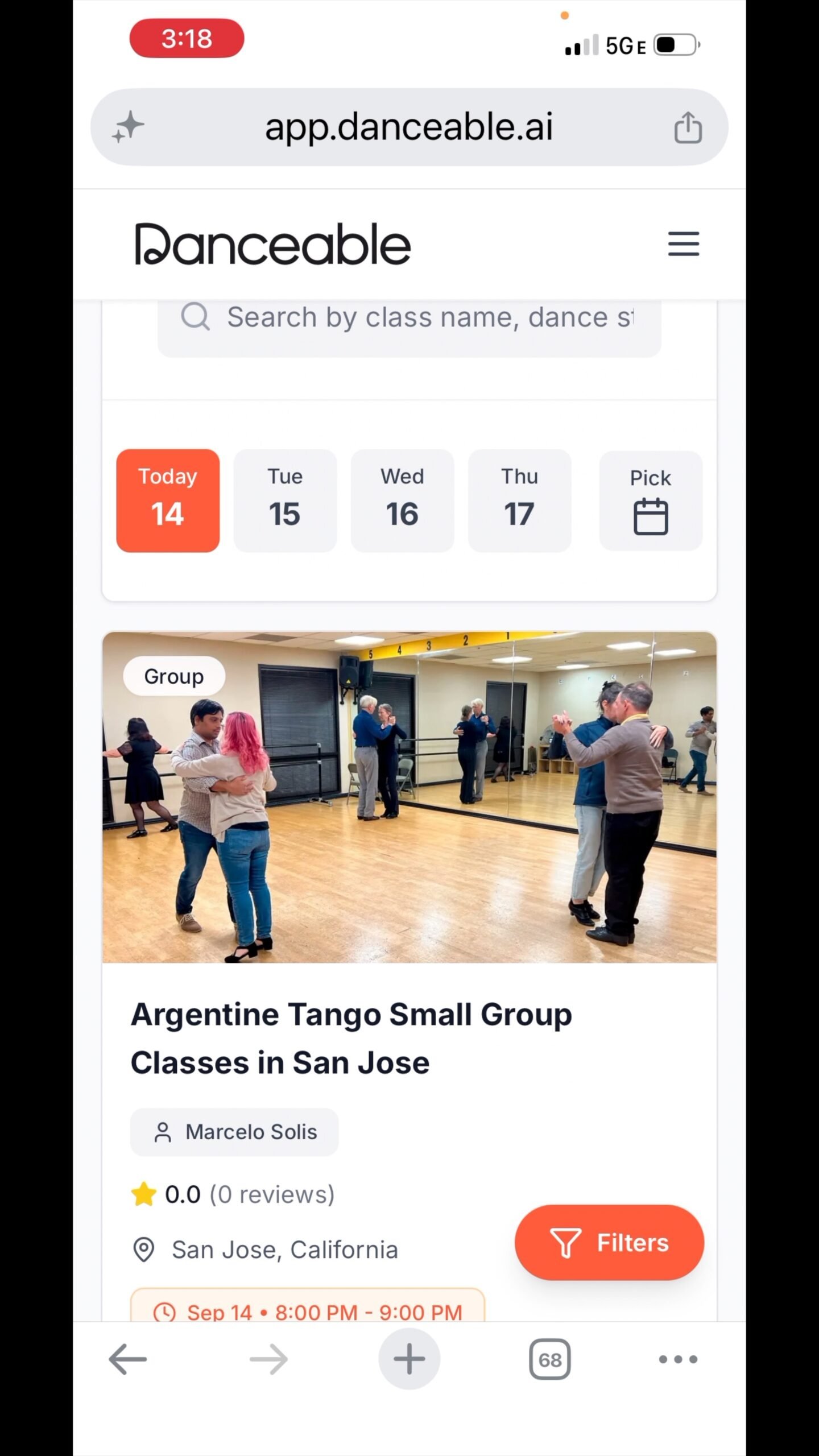
Select Apply Filters to see matching classes. In the tutorial, the results include an evening Argentine Tango small group class in San Jose for less than $100. Available classes and prices may differ when you search.
Open a class that interests you and review its details before booking. If your search returns few options, broaden one preference at a time—for example, the time, location, or price range.
Find a class that fits your life
Whether you are trying a new dance style or making room for more dancing in your week, filters help you focus on classes that suit your interests and availability.
Explore classes on Danceable. Need help with the next step? Read our guide to booking a dance class or private lesson.