Your Danceable profile is the center of your professional presence on the platform. It allows dancers to learn about your experience, teaching philosophy, dance styles, classes, events, announcements, videos, and more.
A complete profile does more than provide information. It helps potential students understand who you are, what you offer, and why they should connect with you.
In this step-by-step tutorial, I will show teachers and event organizers how to create a complete professional profile on Danceable.
1. Choose your profile URL
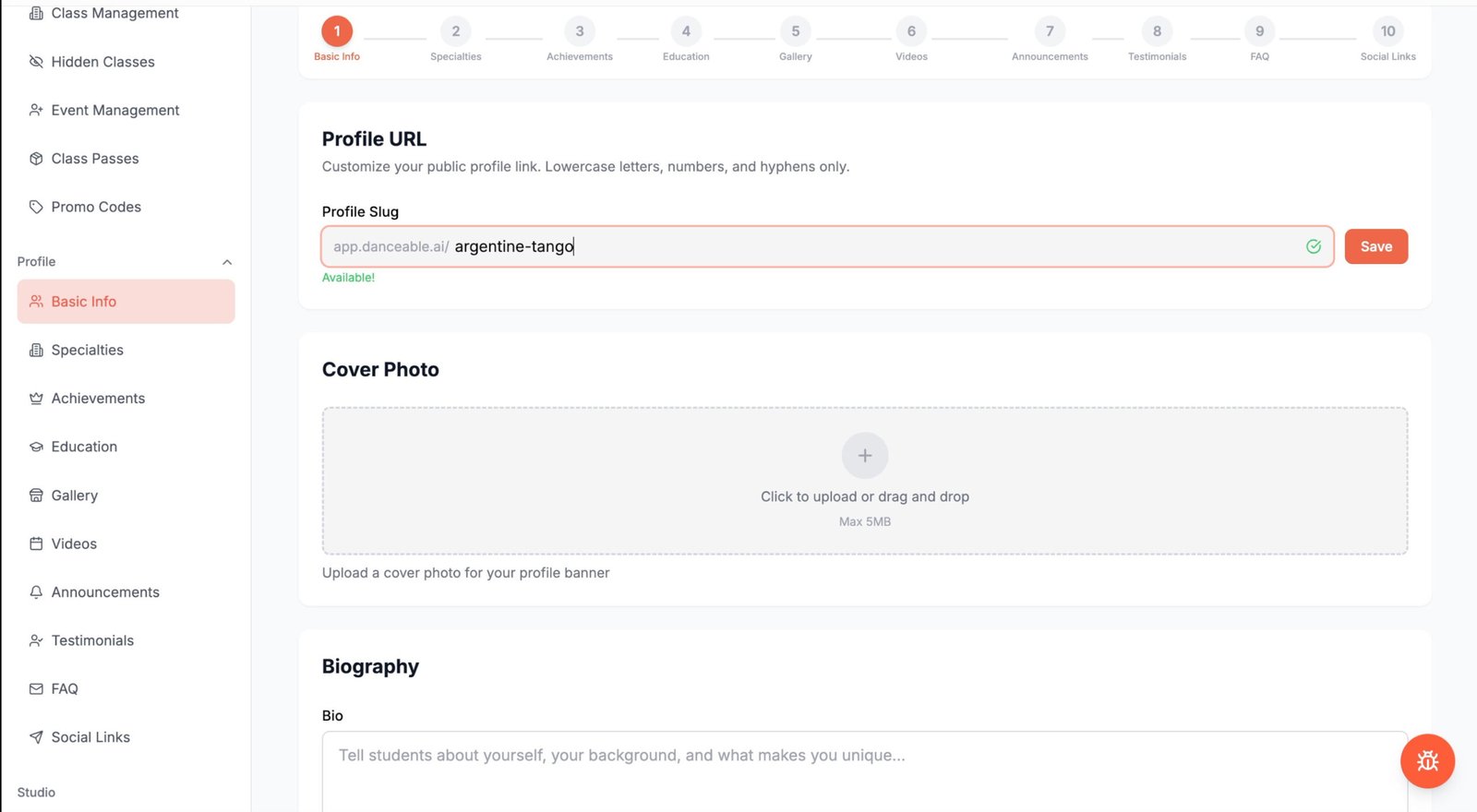
Begin by choosing a unique URL for your Danceable profile.
Your profile URL should be simple, recognizable, and closely connected to your name, school, organization, or professional identity. In this example, I am using “Argentine Tango.”
Enter your preferred URL. Once Danceable confirms that it is available, click Save.
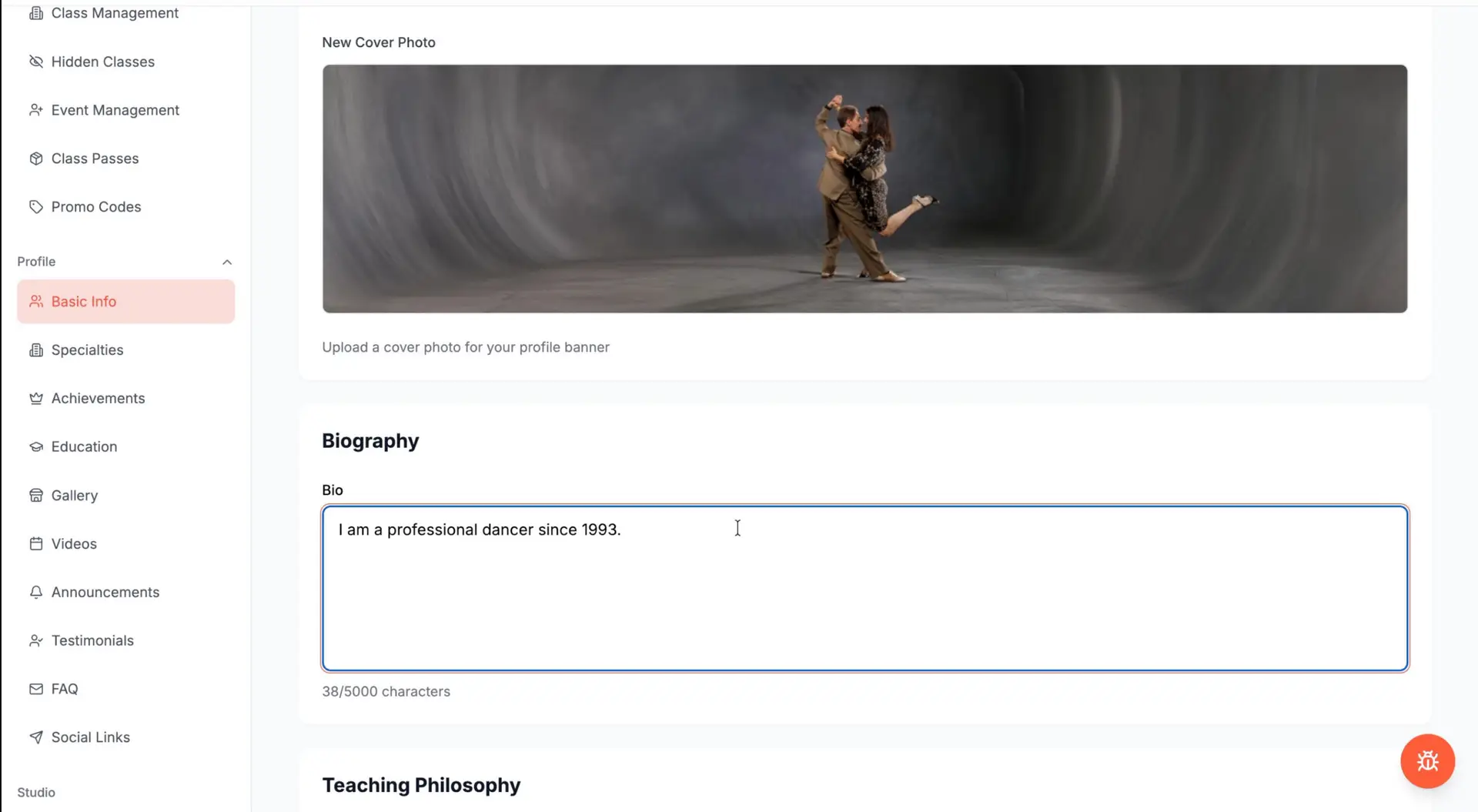
2. Add a cover photo
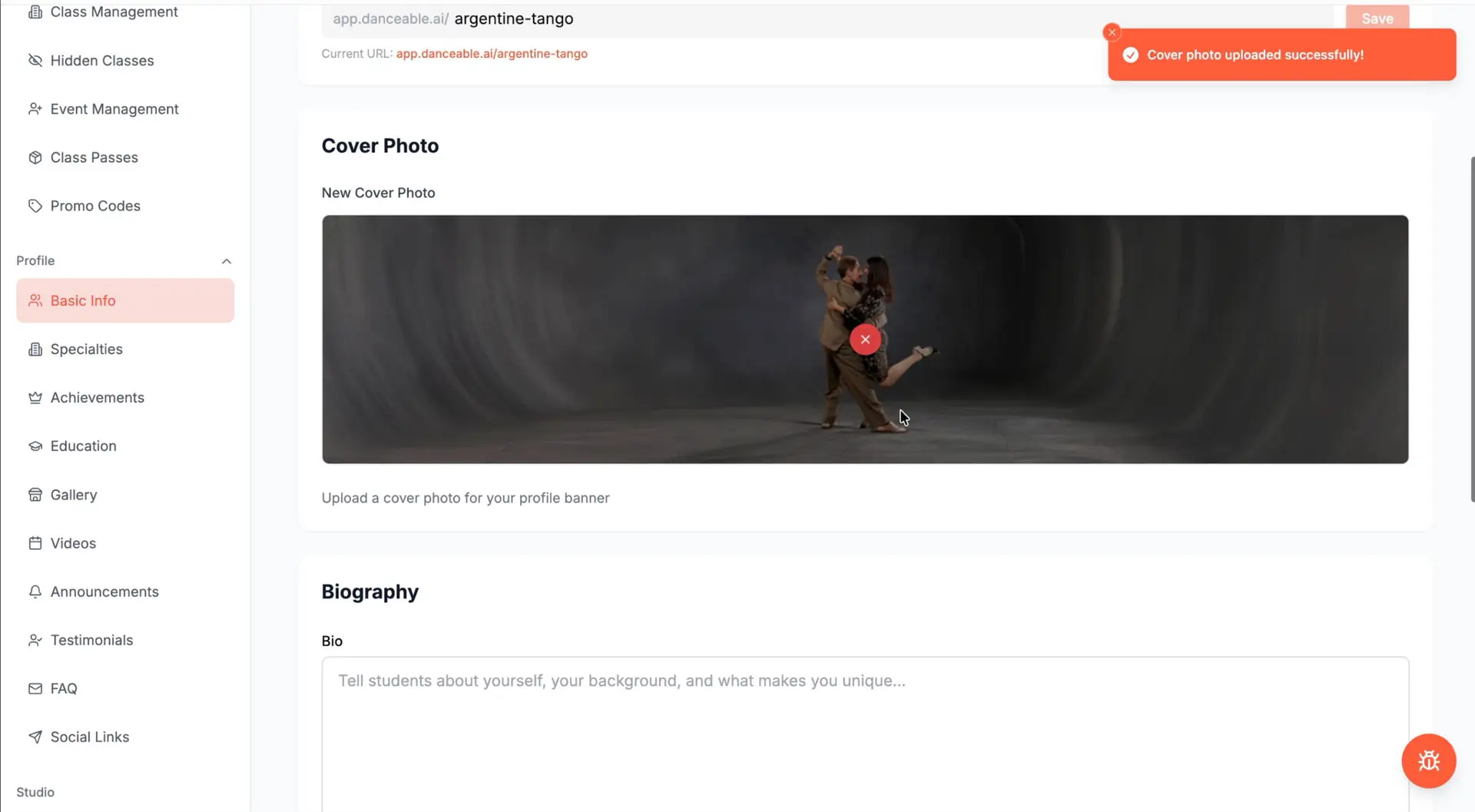
Your cover photo is one of the first things visitors will see, so choose an image that clearly represents your professional work.
You might use a photograph of:
Upload the image and adjust the crop carefully so the most important part remains visible. When you are satisfied with the result, save your changes.
3. Write your biography
Use the Biography section to introduce yourself and explain your professional background.
Your biography can include:
Avoid filling this section with vague promotional language. Give visitors specific information that helps them understand who you are and what makes your work distinctive.
4. Explain your teaching philosophy
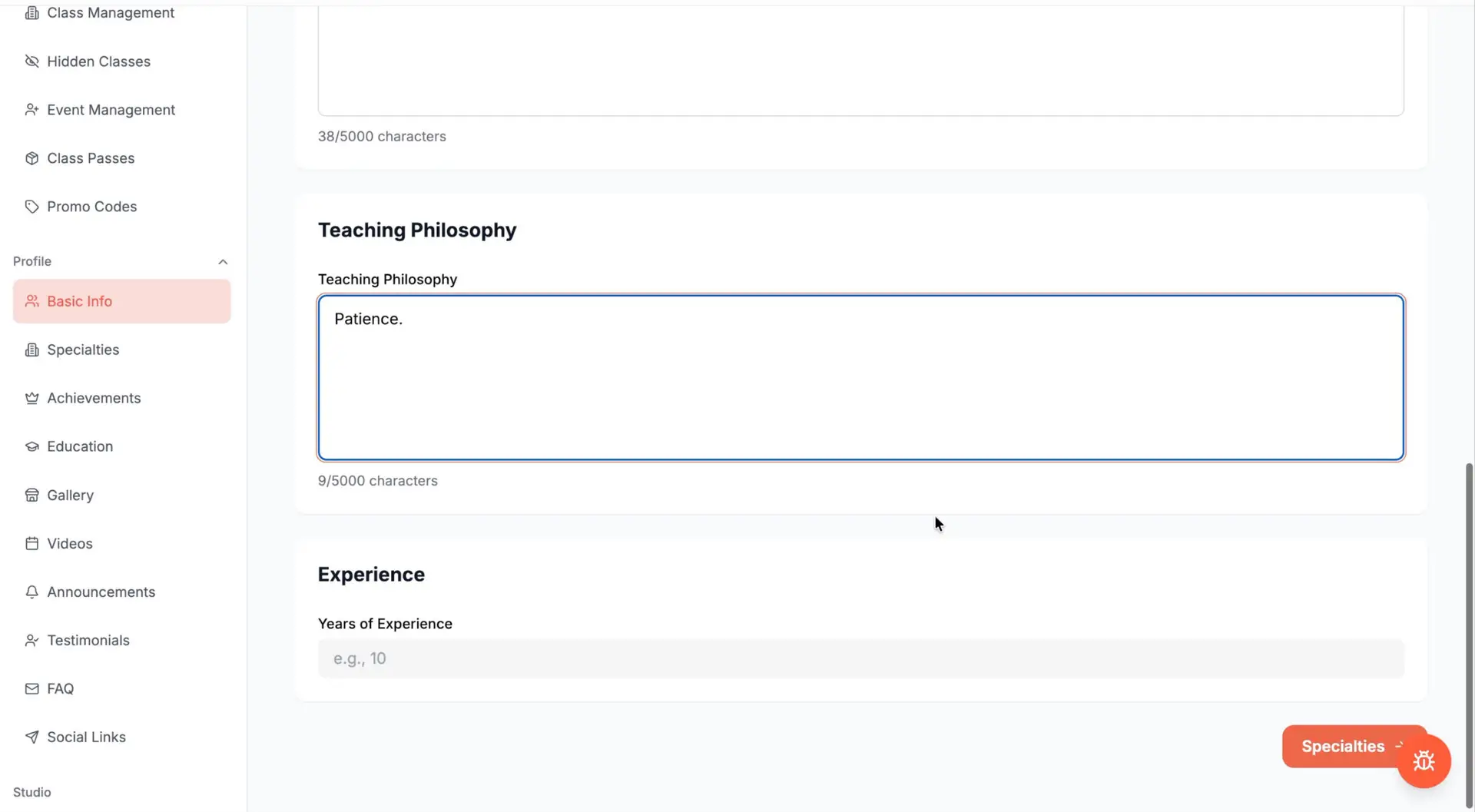
If you are a teacher, use the Teaching Philosophy section to explain your approach.
Describe what you consider important in the learning process and what students can expect when working with you.
For example, you might discuss your approach to technique, musicality, connection, creativity, social dancing, cultural knowledge, or personal development.
A clear teaching philosophy helps prospective students decide whether your approach corresponds with what they want to learn.
5. Add your experience and teaching levels
Enter the number of years of professional experience you have.
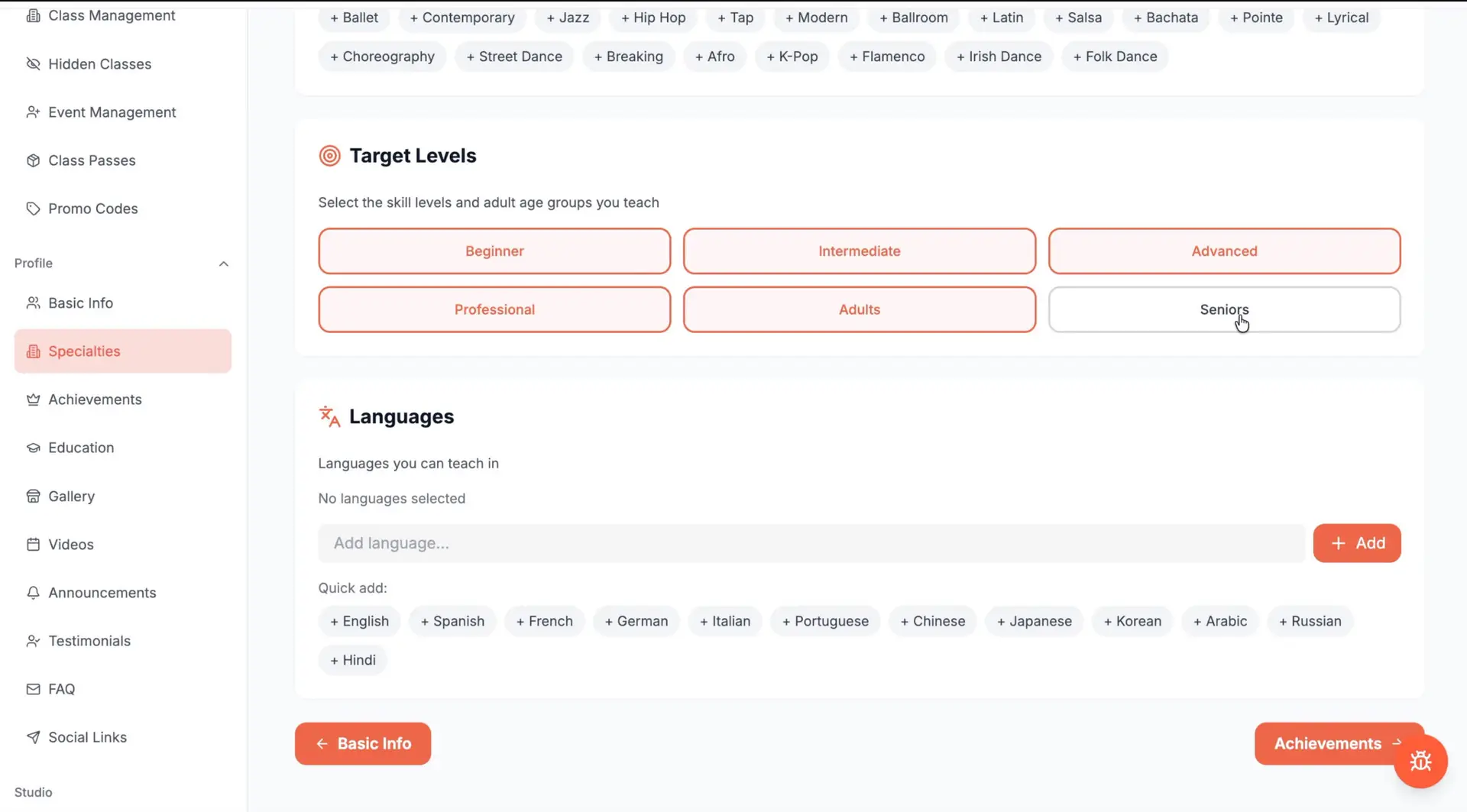
Next, select the levels you teach, such as:
Select only the levels you are genuinely prepared to teach. An accurate profile builds more trust than an exaggerated one.
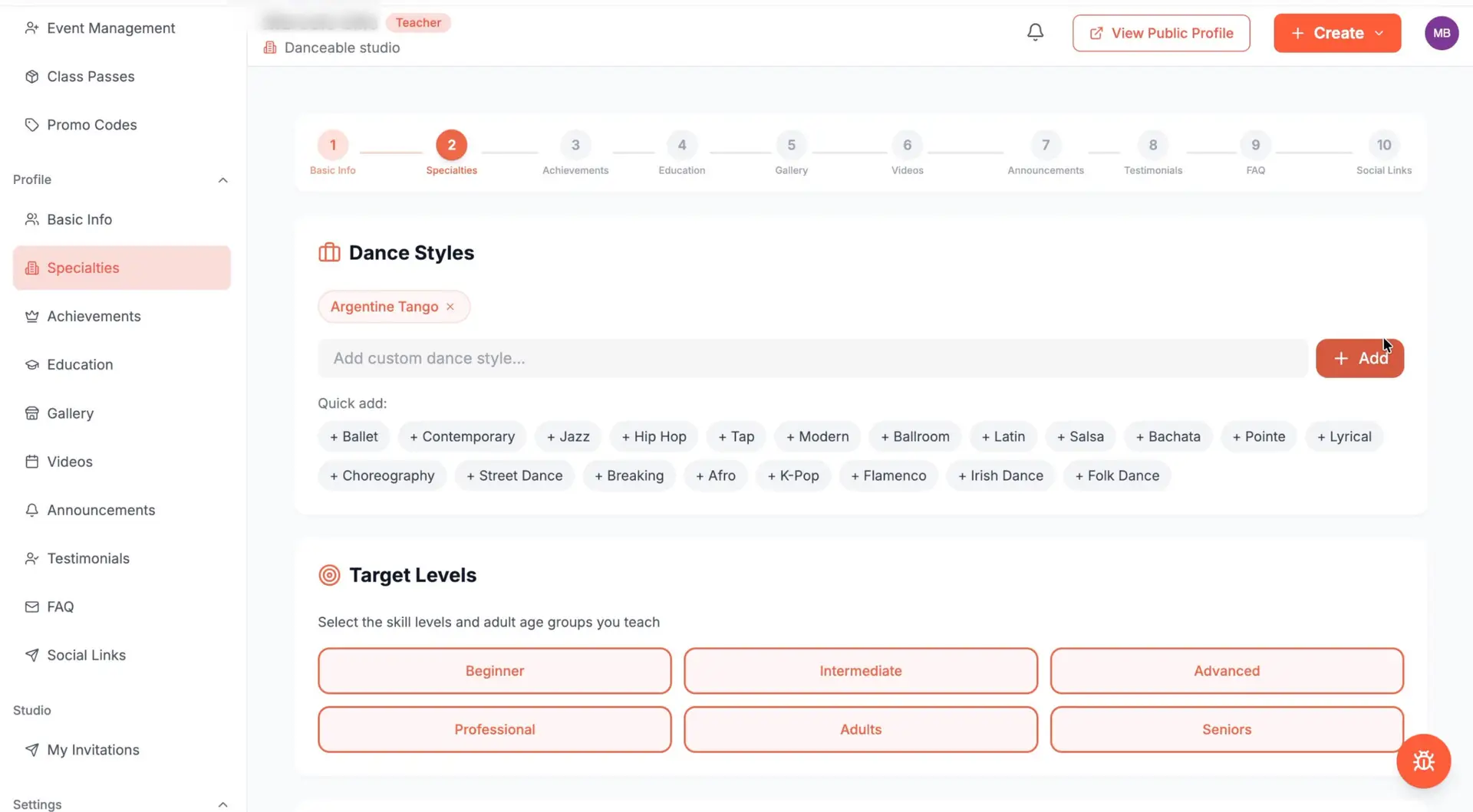
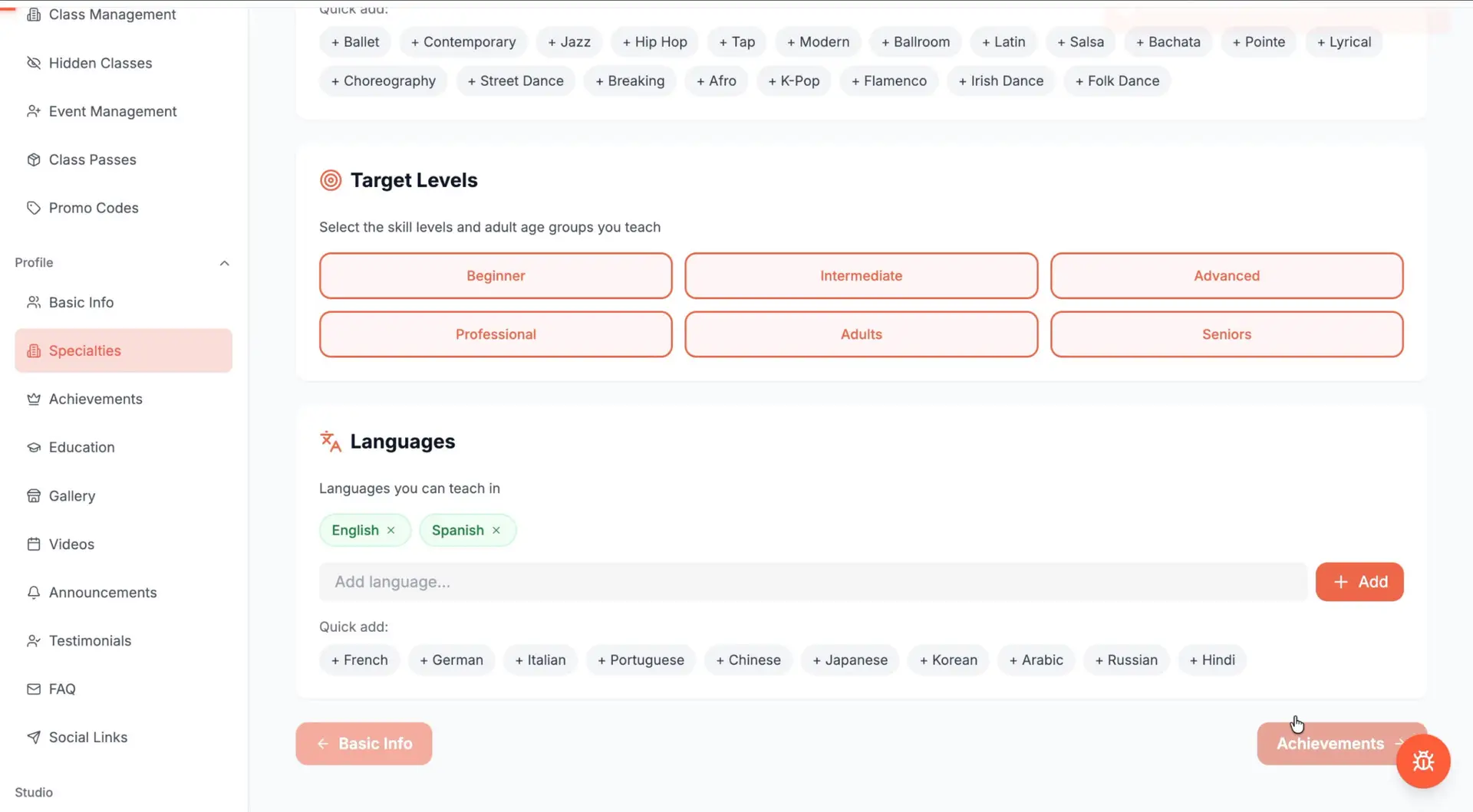
6. Select your dance style
Choose the dance style associated with your professional work.
In this example, I am selecting Argentine Tango. Depending on your work, you may be able to add other dance styles relevant to your teaching, performances, or events.
Choosing the correct style helps dancers find you when searching the platform.
7. Add the languages you speak
Select the languages in which you can teach or communicate with students and clients.
In this example, I am adding English and Spanish, but you can include as many languages as necessary.
This information is especially valuable for dancers seeking instruction in a particular language and for professionals working with international communities.
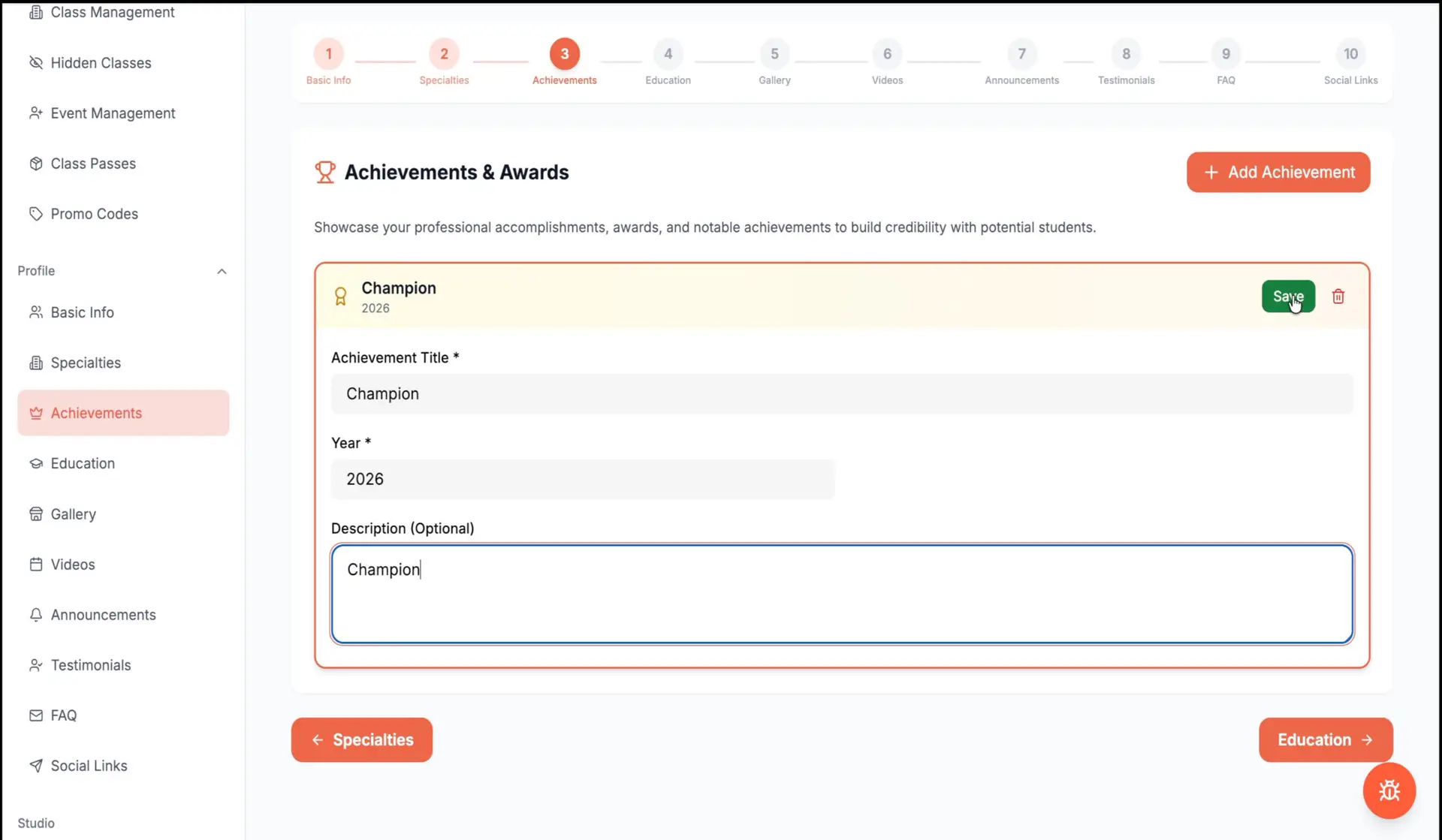
8. Add your professional achievements
The Achievements section allows you to highlight meaningful accomplishments from your career.
These might include:
Add each achievement separately and save it.
Choose accomplishments that help visitors understand your experience and professional development. A shorter list of relevant achievements is stronger than a long list without context.
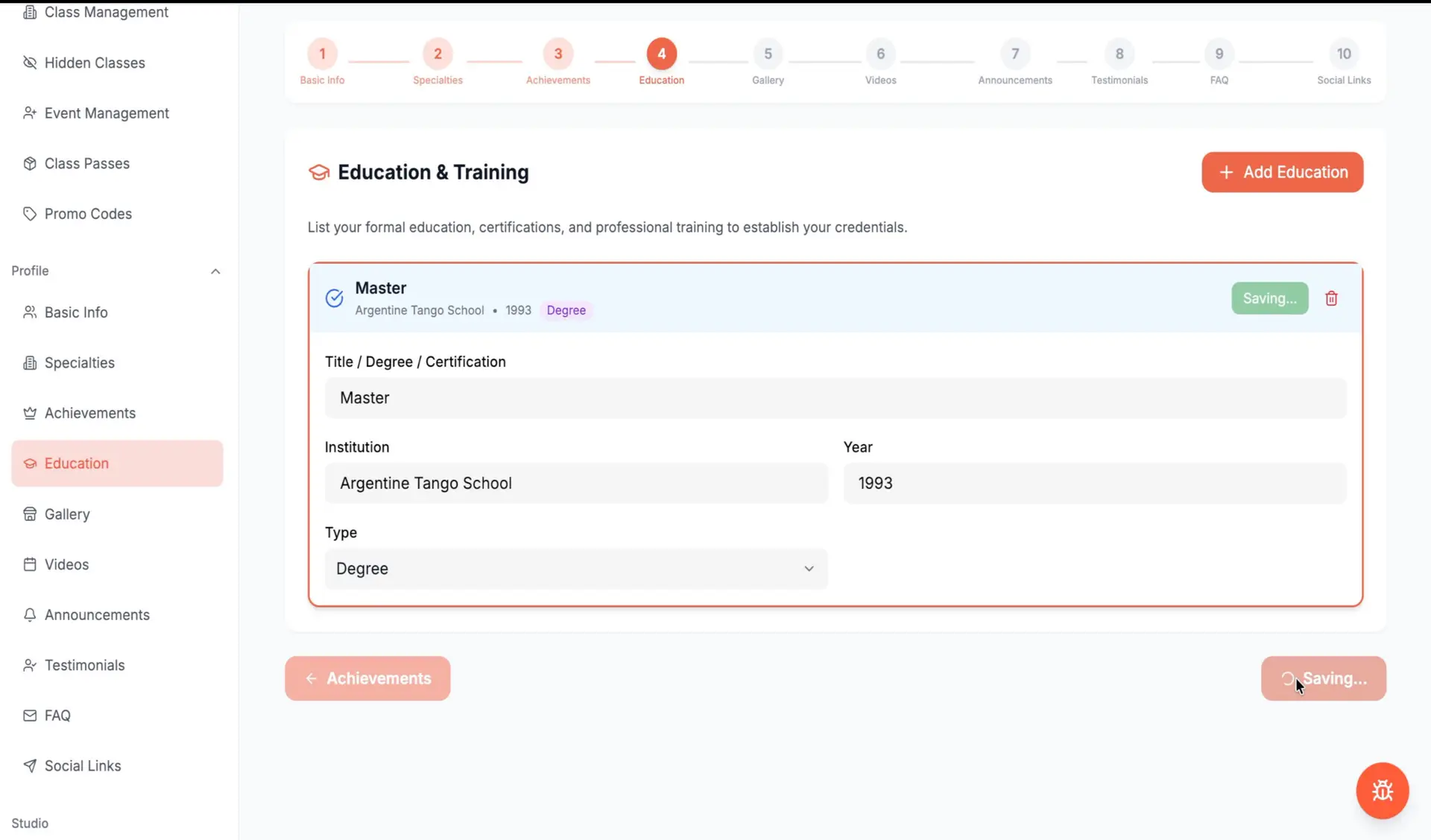
9. Include your education and training
Under Education and Training, add the programs, institutions, teachers, certifications, or degrees that have contributed to your professional preparation.
For each entry, you can include:
Formal degrees are not the only education that matters in dance. Long-term artistic training, apprenticeships, mentorships, and specialized programs can also provide important context about your development.
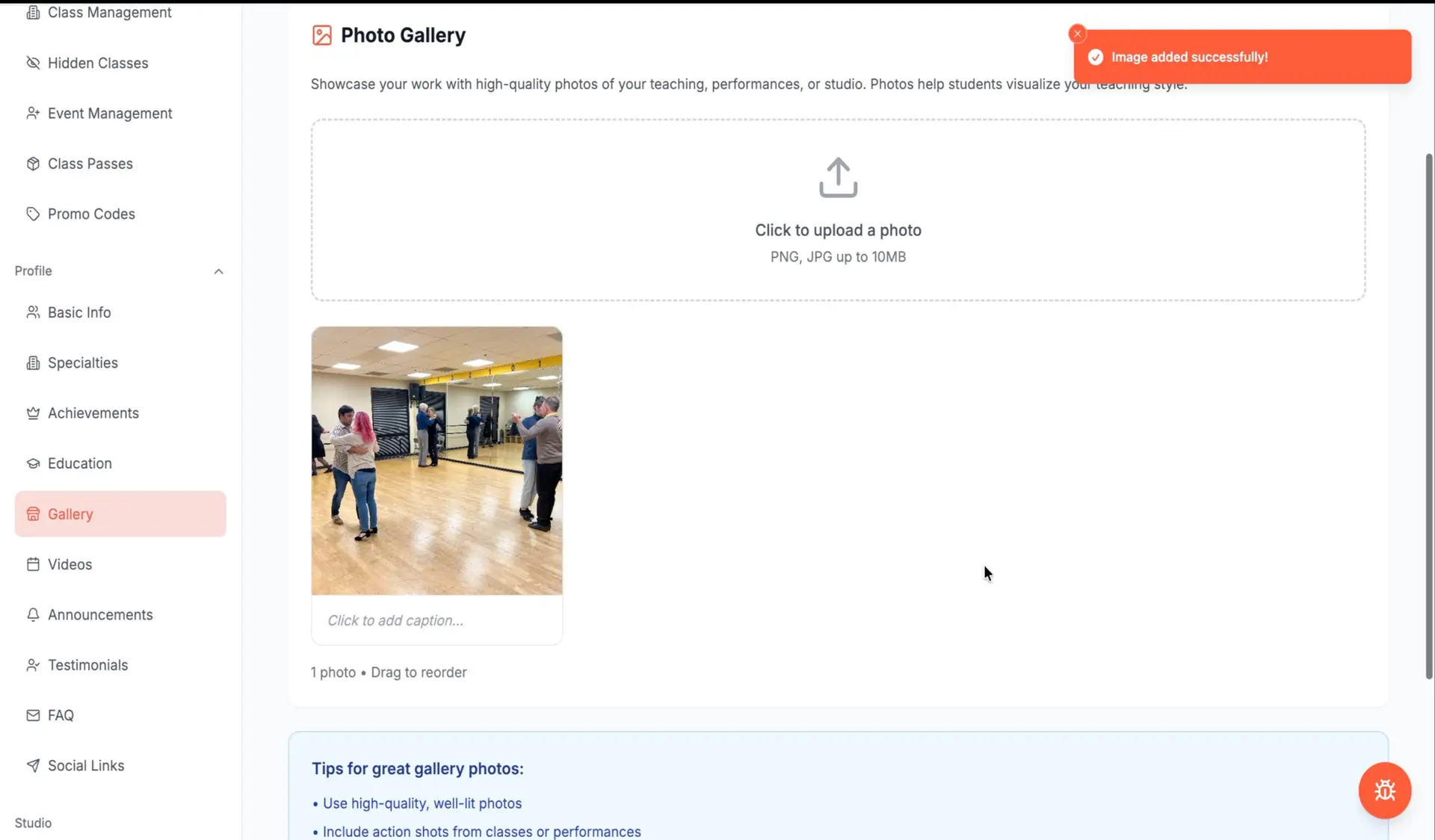
10. Build your photo gallery
Visual content helps visitors experience your work before attending one of your classes or events.
In the Gallery section, upload photographs representing:
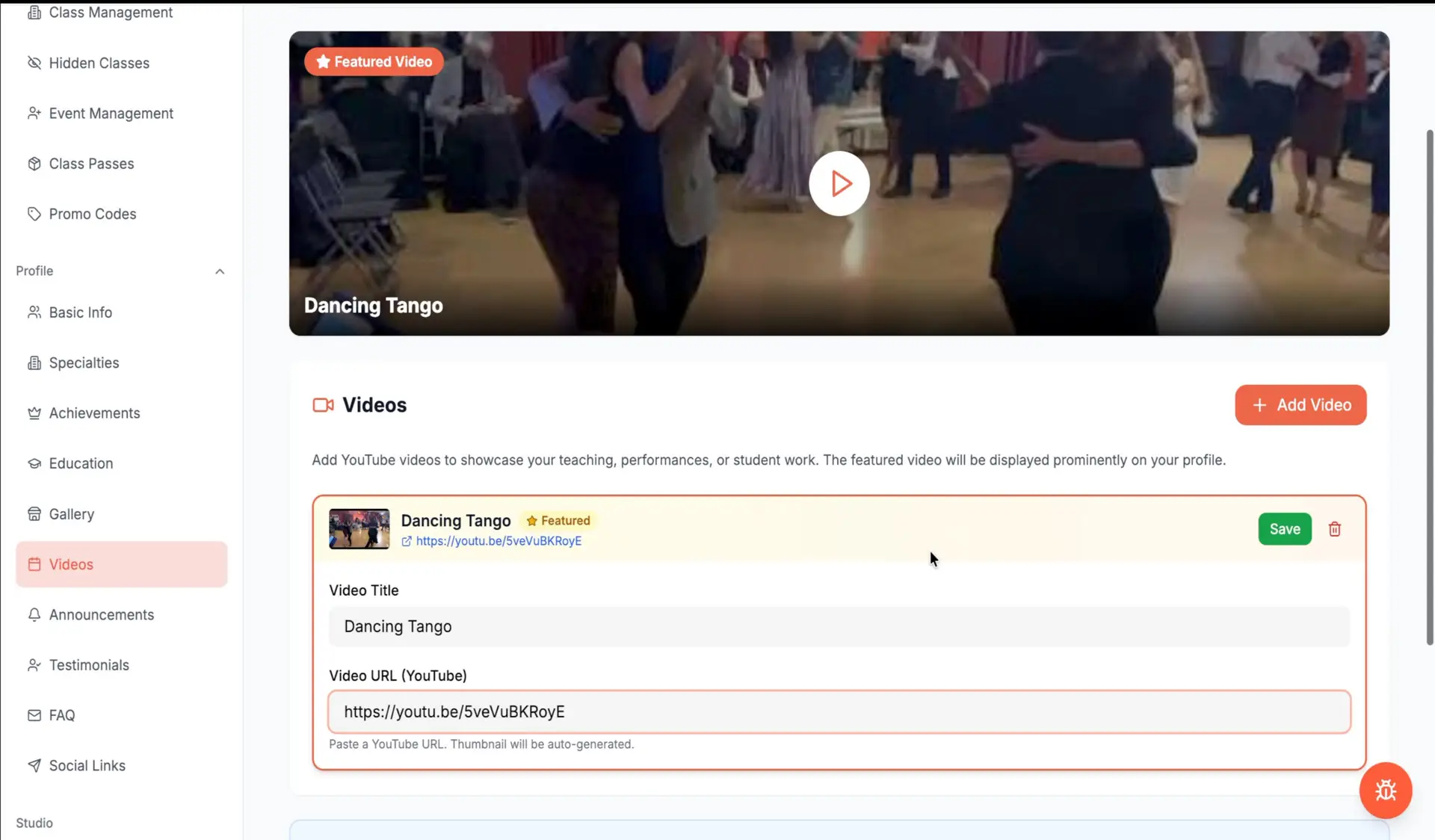
11. Add videos
Videos are one of the most effective ways to demonstrate how you teach, dance, perform, or organize events.
To add a video:
Choose titles that explain what viewers will see rather than using generic labels such as “Video 1.”
Whenever possible, select videos with good lighting, clear sound, and content that accurately represents your current work.
12. Publish an announcement
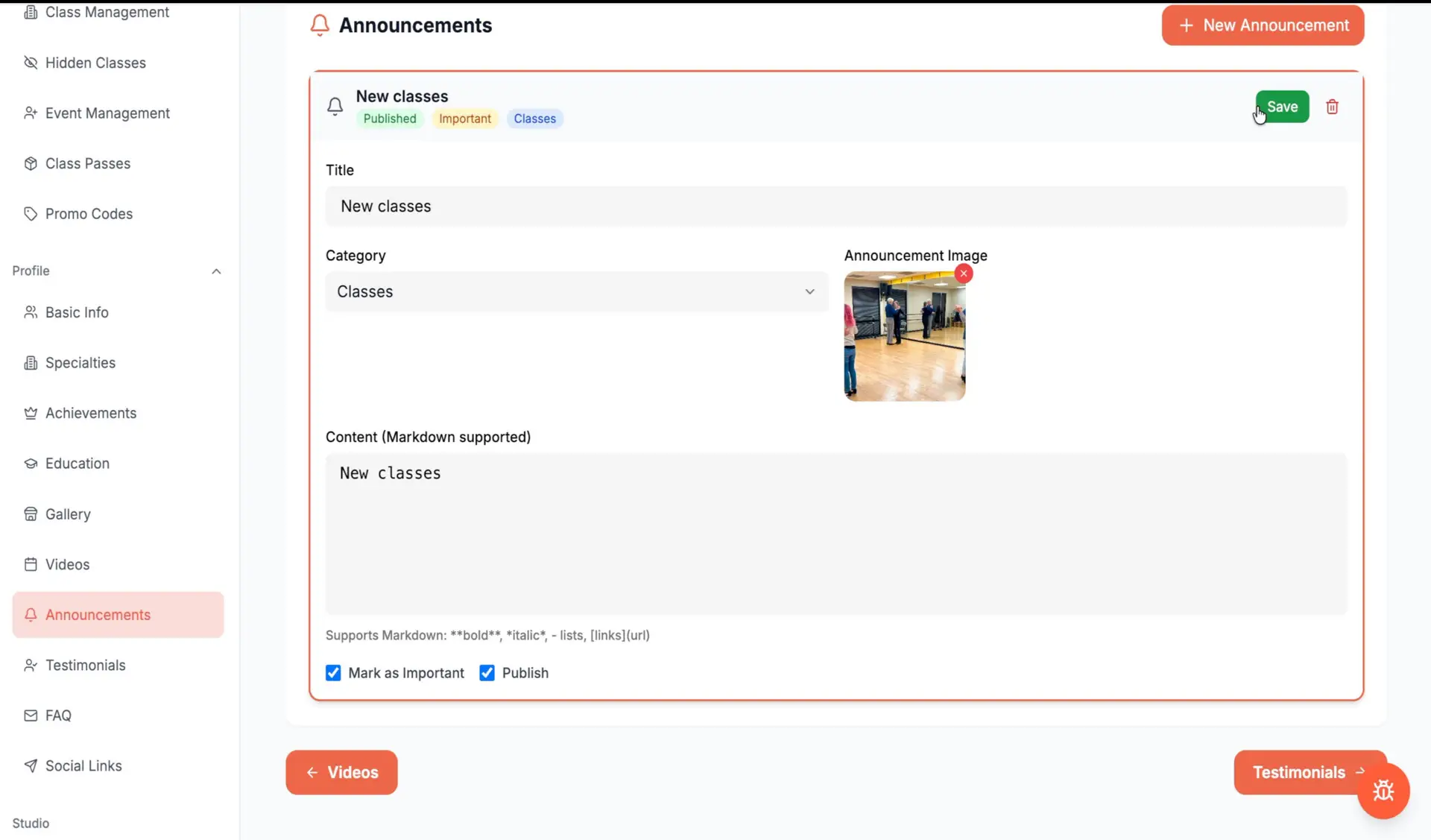
The Announcements section can be used to promote:
Click Add Announcement, enter a title, choose the appropriate category, upload an image, and write a concise description.
Review the information carefully before publishing, particularly dates, times, locations, prices, and registration instructions.
13. Add student or client testimonials
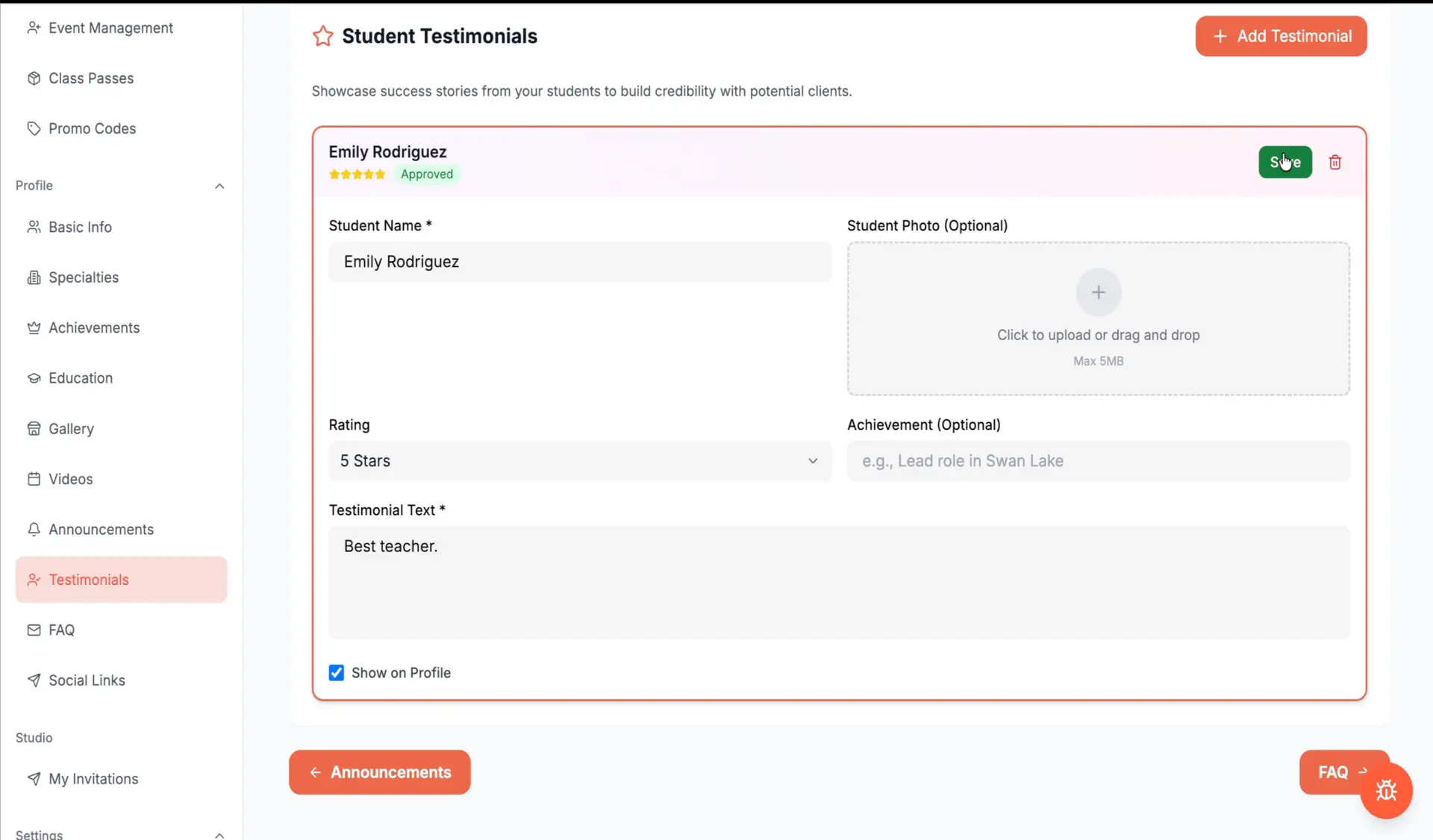
Testimonials give prospective students and clients a clearer idea of what it is like to work with you.
Select the relevant dance style and add a short statement from the student or client describing their experience.
Strong testimonials are:
Whenever possible, use genuine testimonials with permission from the person who provided them.
14. Answer frequently asked questions
A Frequently Asked Questions section helps potential students find essential information before contacting you.
You could answer questions such as:
Provide a direct and complete answer to each question. Good FAQs reduce uncertainty and make it easier for people to take the next step.

15. Connect your website and social media
Under Social Links, add your personal or professional website and the social media accounts you actively use.
Danceable allows you to connect platforms such as:
Check every link after adding it. A broken or outdated link creates unnecessary friction and makes the profile look neglected.
16. Upload your profile photo
Before your profile can become publicly visible, you must upload a profile photo.
This allows you to see your page as visitors will see it.
Depending on the information you have added, your public profile can display:
Review every section carefully. Check that your information is accurate, your writing is clear, your links work, and your photographs are properly cropped.
Your profile should communicate three things immediately: who you are, what you offer, and how dancers can connect with you.
Keep your profile current
Creating the profile is only the beginning. Update it whenever you publish a new class, announce an event, add a video, receive a meaningful testimonial, or reach an important professional milestone.
An incomplete or abandoned profile weakens trust. A current profile shows visitors that your professional activity is real, active, and accessible.
Create your Danceable profile
Your Danceable profile is now ready to help dancers discover your work, follow your announcements, explore your classes and events, and connect with you.
Create or complete your professional profile on Danceable today and make it easier for dancers to find what you offer.