Creating a Danceable student account takes only a few minutes. Once your profile is set up, you can discover classes and events that match your preferred dance style and experience level. Follow the steps below to get started.
Watch the video tutorial
What you’ll need
- An email address you can access
- A secure password
- Your phone number and basic profile information
- The dance style and experience level you want to explore
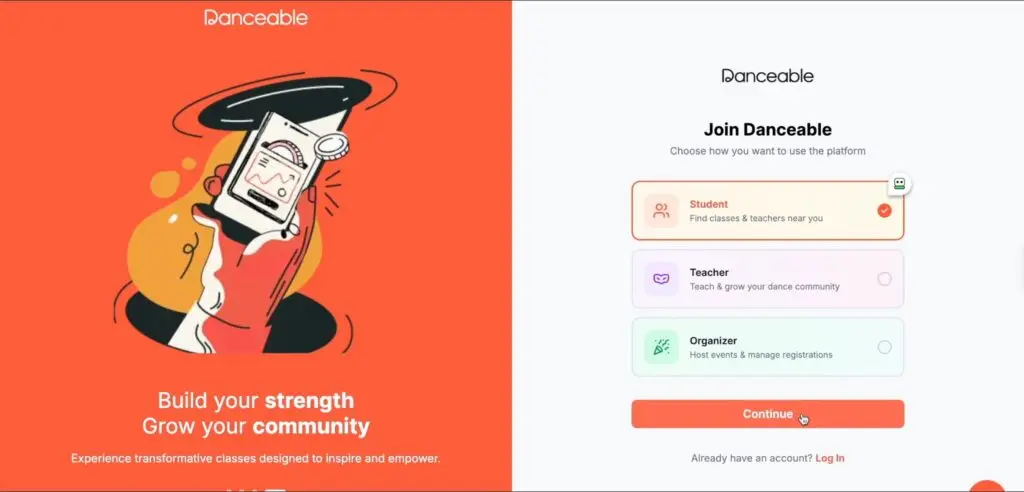
Step 1: Choose a student account
Go to the Danceable sign-up page. Select the option to create a student account, then choose Continue.
Step 2: Enter your account details
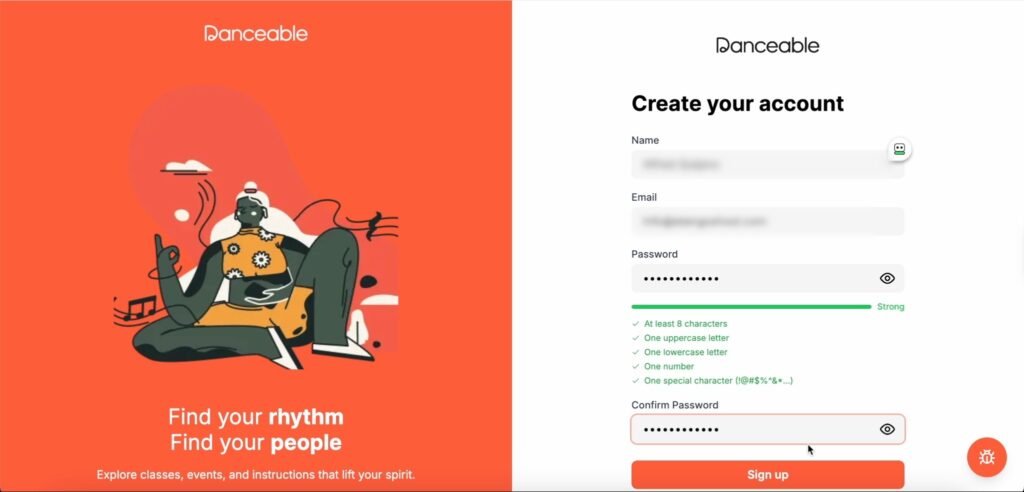
Enter your full name, email address, and password. Make sure your password satisfies every requirement displayed on the screen. Re-enter it in the confirmation field, then select Sign up.
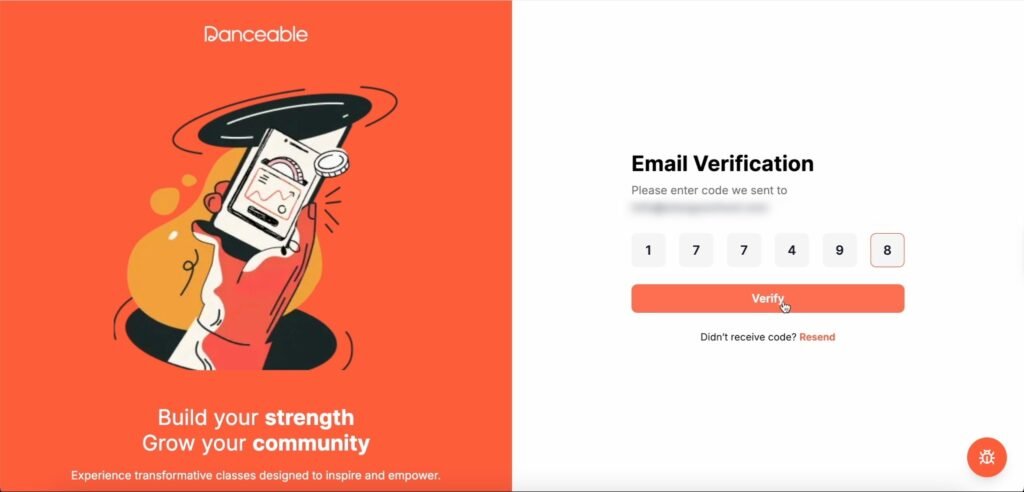
Step 3: Verify your email address
Danceable will send a confirmation code to the email address you entered. Open the message, copy the code, return to Danceable, and paste it into the verification field. Select Verify to continue.
Tip: If the email doesn’t appear right away, check your spam or junk folder.
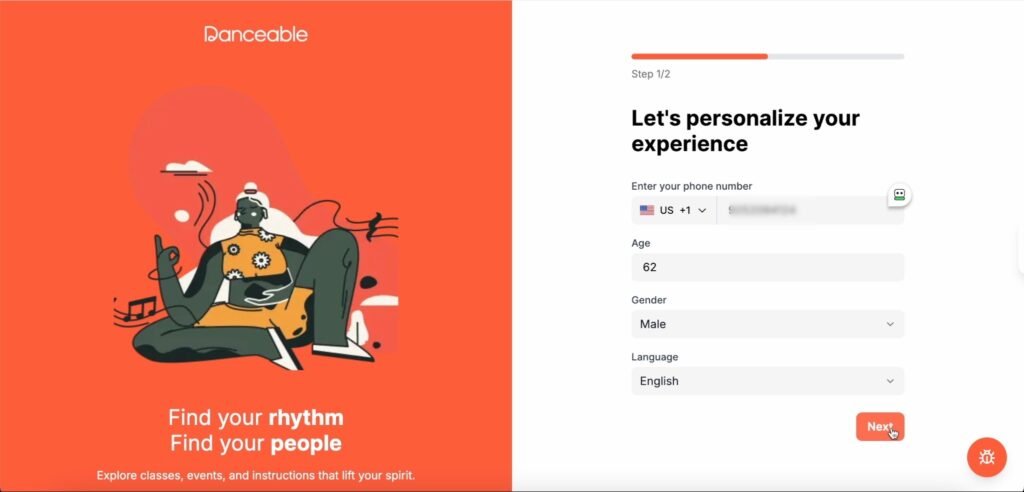
Step 4: Complete your student profile
Enter your telephone number, age, gender, and preferred language. Review the information, then select Next.
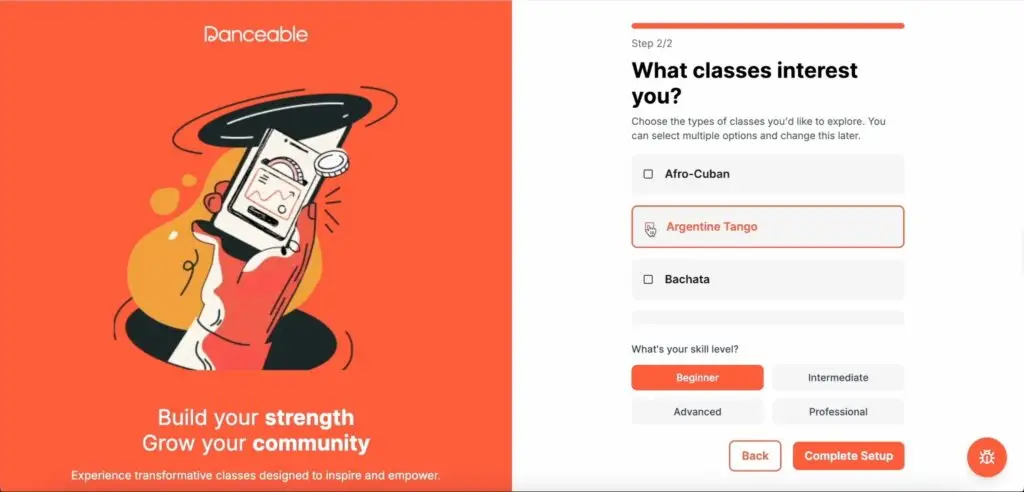
Step 5: Choose your preferred dance style
Select the dance style you are interested in learning or practicing. In this example, we’re choosing Argentine Tango. Choose the style that best matches your interests.
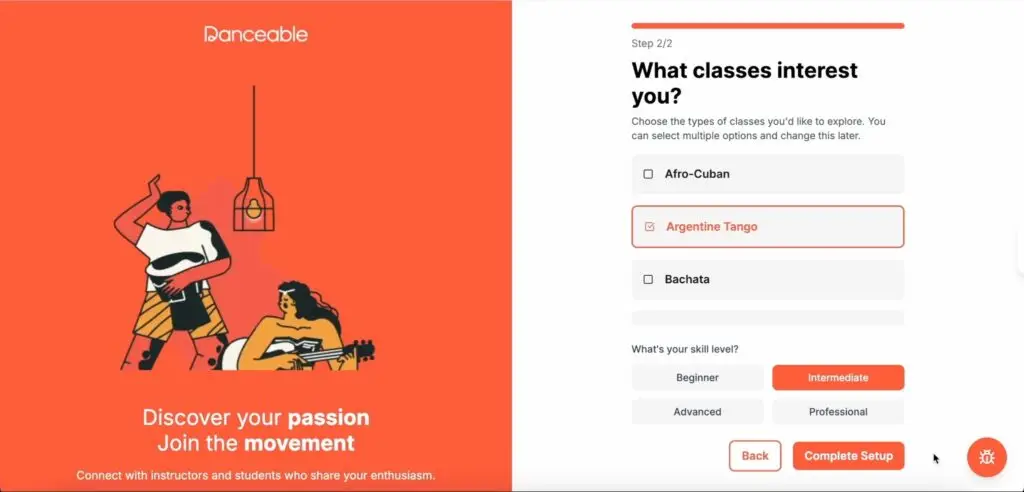
Step 6: Select your dance level
Choose the level that most accurately reflects your current experience. In this example, we’re selecting Intermediate.
Step 7: Complete setup and start exploring
Select Complete setup. When your account is ready, choose Find classes and events to begin exploring opportunities on Danceable.
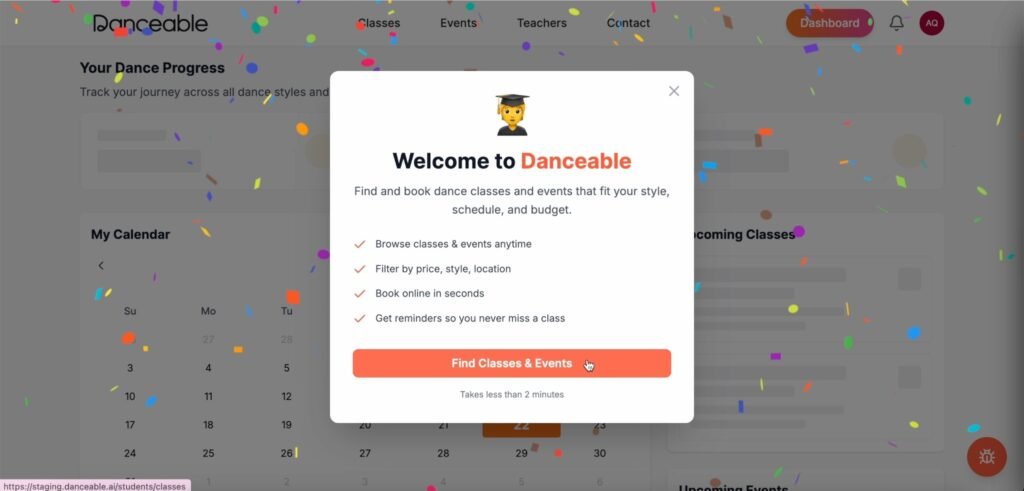
Your Danceable student account is ready
You’re all set. Your Danceable student account is now ready to help you discover classes and events that fit your style and level.
Ready to begin? Visit Danceable and create your student account.